The Essential Guide to VoIP Phone System for Home 2025
Discover the ultimate 2025 guide to VoIP phone system for home Learn benefits setup tips key features and trends to upgrade your home communication confidently
Iacopo Bonandi, Founder & CEO
October 31, 2025Imagine answering your home phone and experiencing crystal-clear calls, advanced features, and lower monthly bills. With traditional landlines rapidly fading, the voip phone system for home is redefining how families and professionals connect in 2025.
Today, homeowners enjoy business-grade features, seamless international calls, and significant cost savings - all from the comfort of their living rooms. Curious how this technology can elevate your home communication? This guide will walk you through what VoIP is, its many benefits, choosing and setting up a system, and the key trends shaping the future.
Understanding VoIP Phone Systems for Home
The way we communicate at home is changing rapidly. The voip phone system for home is now a leading choice for families who want more control, flexibility, and savings. To help you navigate this technology, let’s break down what VoIP is, how it works, its benefits, common myths, and the essential terminology every homeowner should know.
What is VoIP?
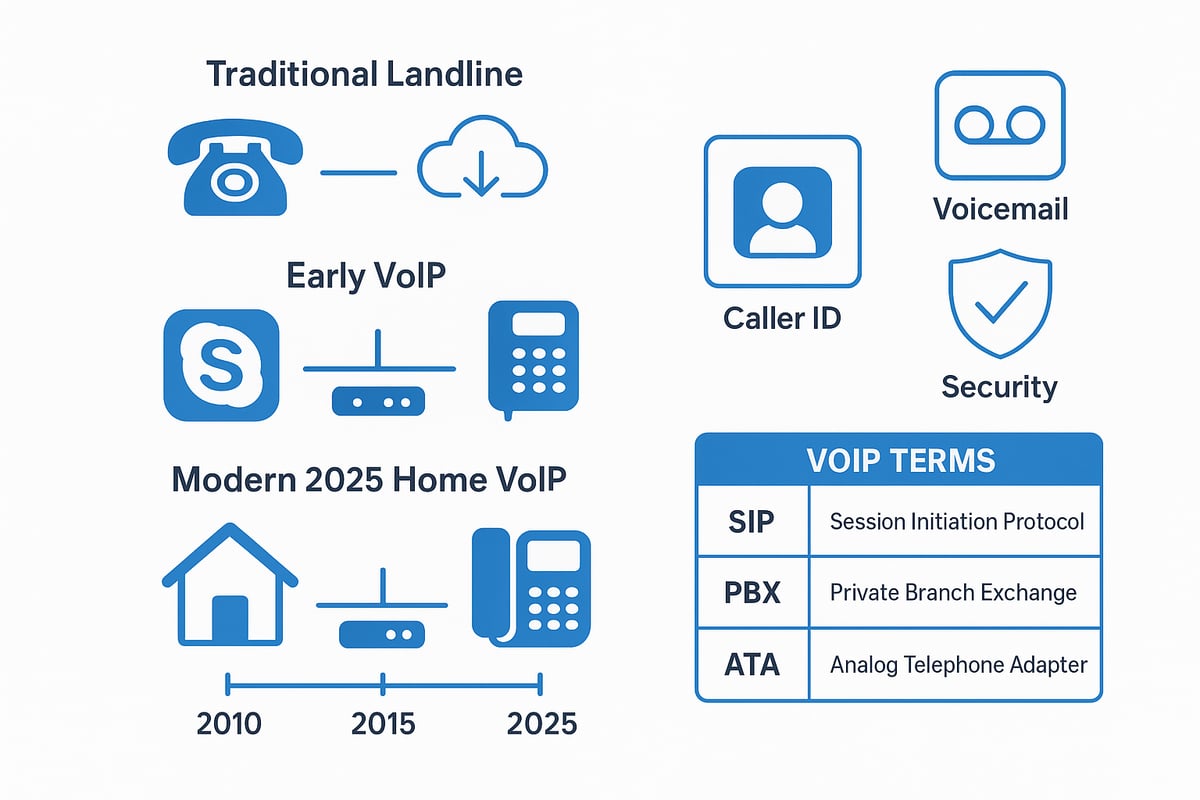
VoIP, or Voice over Internet Protocol, is a technology that lets you make phone calls using your internet connection instead of a traditional phone line. Unlike analog landlines that rely on copper wires, a voip phone system for home converts your voice into digital signals and transmits them over the internet.
VoIP has evolved from early platforms like Skype and WhatsApp into robust systems now used by billions worldwide. As of 2024, over 3 billion people use VoIP services globally. If you want a deeper look at the basics, check out this VoIP phone service overview.
The result? Homeowners now access features once reserved for businesses, with higher call quality and more flexibility.
How VoIP Works in a Home Environment
A voip phone system for home sends voice data as digital packets through your internet connection. To set it up, you need a broadband internet service, a VoIP-compatible phone or adapter (ATA), and sometimes a dedicated VoIP router.
Most home users connect their VoIP phone directly to the router or use an ATA to adapt existing phones. Softphone apps on PCs or smartphones are also popular options. Security is crucial - ensure your network is password-protected and consider enabling encryption features on your hardware.
In a typical setup, you plug your device into your router, configure your account, and you’re ready to make calls. Always review your provider’s security recommendations.
Benefits of VoIP for Home Users
A voip phone system for home offers significant savings compared to traditional landlines. Many providers offer unlimited local and international calling at a fraction of the cost.
You’ll enjoy advanced features like voicemail-to-email, call forwarding, caller ID, and even video calling. VoIP systems are flexible, letting you use a desk phone, smartphone, tablet, or computer. Families with relatives abroad benefit from international calls at local rates.
As your household grows, scaling up is easy - just add more devices or users without extra wiring or complicated installation.
Common Myths and Misconceptions
Some believe a voip phone system for home has poor call quality, but modern codecs and HD voice technology deliver crystal-clear sound. Others worry about reliability during outages. While VoIP needs internet and power, solutions like backup batteries and mobile apps provide alternatives during interruptions.
Setup is often simpler than expected, especially with plug-and-play devices. Security and privacy concerns are addressed by using encrypted connections and strong passwords. Emergency calls (911) are supported, but you must register your address with your provider for accurate response.
Key Terms and Technology Explained
Understanding the voip phone system for home means knowing a few key terms:
| Term | Description |
|---|---|
| SIP | Protocol for initiating and managing calls |
| PBX | Private branch exchange, manages call routing |
| ATA | Adapter for analog phones |
| Bandwidth | Amount of data your internet can handle |
| Softphone | App that turns your device into a phone |
HD voice uses advanced codecs for better quality. Porting lets you keep your existing number when switching services. SIP trunking connects your home PBX to VoIP services for advanced setups. Quality of Service (QoS) settings on your router help prioritize voice traffic for reliable calls.
By mastering these basics, you’re well on your way to making the most of your voip phone system for home.
Key Features to Look for in a Home VoIP System
Choosing the right voip phone system for home means understanding the key features that matter most. As technology evolves, homeowners need solutions that deliver both performance and convenience. Below, we break down the essential capabilities to look for as you shop for the ideal system.
Essential Features for 2025
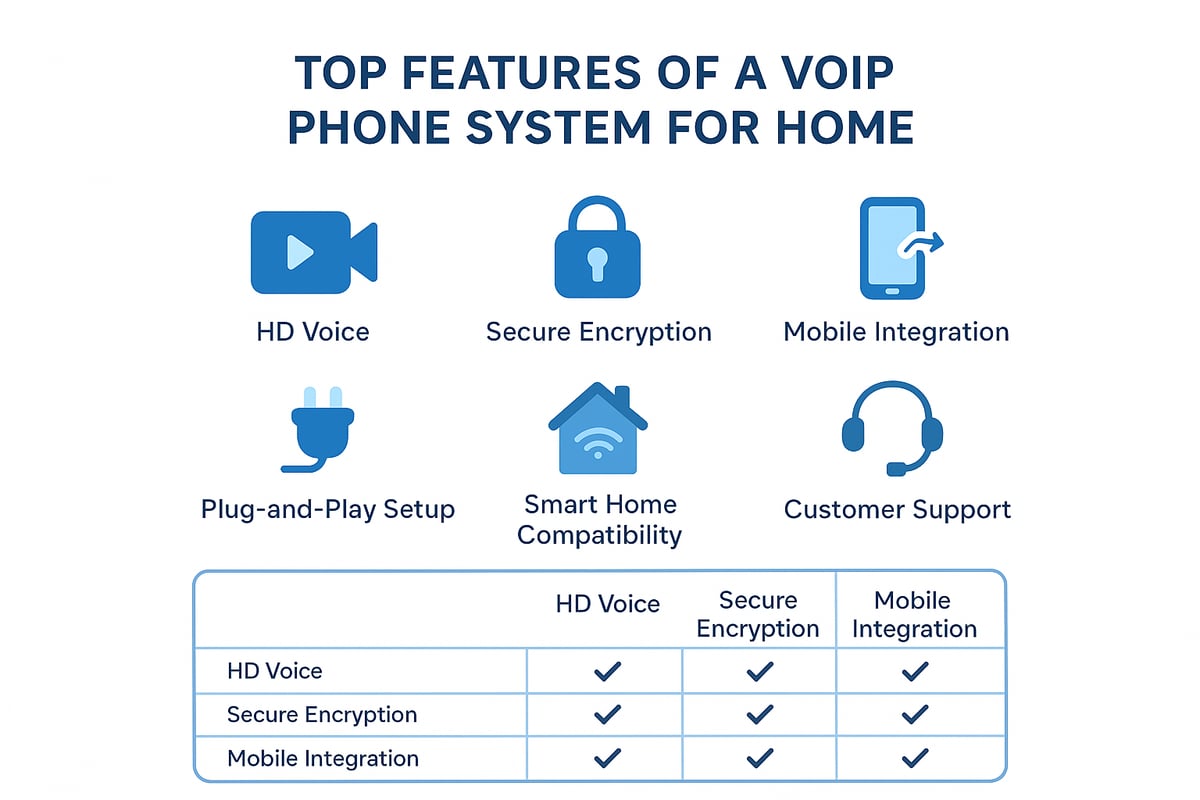
A modern voip phone system for home should provide crystal-clear audio and advanced noise cancellation. HD voice ensures every conversation is crisp, while noise reduction minimizes distractions. Mobile app integration lets you answer calls from anywhere, and multi-device support means you can use desk phones, smartphones, or tablets seamlessly.
Voicemail transcription and smart notifications keep you connected, even when you miss a call. Video calling capabilities are now standard, making it easy to connect face-to-face with family and friends. For a closer look at compatible devices and the latest IP phone options, visit IP phones for home use.
Security and Privacy
Security is a top priority in any voip phone system for home. End-to-end encryption protects your calls from eavesdropping. Secure SIP protocols ensure that your data remains confidential during transmission. Two-factor authentication adds another layer of account protection.
A strong network firewall and adherence to security best practices further safeguard your system. Many providers now offer encrypted calls by default, giving homeowners peace of mind that their conversations stay private.
Ease of Use and Setup
The ideal voip phone system for home is designed with user-friendliness in mind. Plug-and-play hardware options allow you to set up your phones with minimal effort. Intuitive web and mobile interfaces make managing settings straightforward, even for those who are not tech-savvy.
Automated number porting simplifies the transition from your old provider. Many companies support non-technical users with free installation guides, ensuring anyone can get started quickly and confidently.
Advanced Calling Features
Look for a voip phone system for home that offers robust calling features. Call forwarding, simultaneous ring, and hunt groups ensure you never miss an important call. Do Not Disturb (DND) and call screening provide control over your availability.
Conference calling and group chats are essential for households that need to coordinate with multiple people. Integration with smart home devices like Alexa or Google Home and customizable caller ID add flexibility and convenience to your daily routine.
Value-Added Services
Many providers now bundle extra services with your voip phone system for home. International call packages make it affordable to reach loved ones abroad. Family plans and shared minutes are perfect for busy households.
Call recording and history logs help you track important conversations. Integration with email and calendar apps streamlines your workflow. Reliable 24/7 customer support ensures help is always available when you need it.
How to Choose the Right VoIP Phone System for Your Home
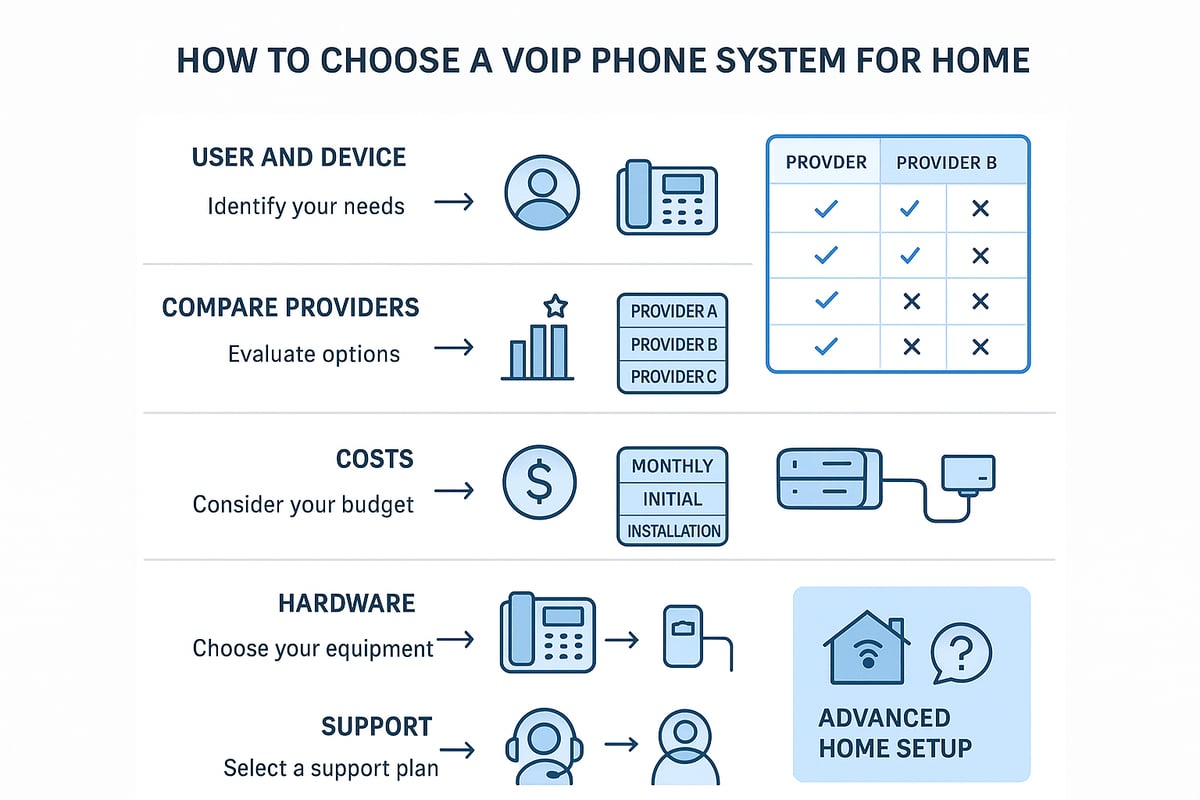
Choosing the best voip phone system for home use requires careful consideration of your household’s unique needs, provider offerings, costs, equipment, and support. Let’s break down each step to help you make a confident decision.
Assessing Your Home Communication Needs
Start by evaluating how your household communicates day to day. Consider the number of people who will use the voip phone system for home, as well as the types of devices involved. Does your family have remote workers, frequent international callers, or tech-savvy teens?
Think about your typical call volume and whether you need features like conference calling or integration with smart home devices. For example, a family with remote workers may need more advanced functions, while a small household may prefer simplicity. By mapping out these needs, you will make it easier to match your requirements to the right voip phone system for home.
Comparing VoIP Providers
Researching providers is a crucial step in selecting a voip phone system for home. Focus on reliability, pricing, included features, and customer support. Top-rated providers in 2025 often offer free trials, money-back guarantees, and transparent user reviews.
Read expert comparisons and consumer rankings to see which providers excel for home use. Consider whether you need global coverage or specialized support. Providers with strong reputations for uptime and responsive service can make a significant difference in your overall experience with your voip phone system for home.
Evaluating Costs and Contracts
Understanding the full cost of a voip phone system for home helps you avoid surprises. Compare upfront expenses, monthly fees, and any hidden charges such as taxes, number porting, or international call rates.
Some providers offer no-contract or prepaid plans, which can be appealing for flexibility. Decide if you want to rent equipment or purchase it outright. On average, home VoIP plans range from $10 to $30 per month in 2024. Carefully review the terms before committing to ensure your chosen voip phone system for home fits your budget.
Hardware and Equipment Choices
Selecting the right hardware is essential for a high-quality voip phone system for home. You can use VoIP adapters (ATAs) with your existing analog phones, buy dedicated VoIP phones, or rely on your smartphone or PC.
Consider Wi-Fi versus Ethernet connectivity and whether you need power backup options like a UPS. For a detailed comparison of compatible devices, check out this guide to VoIP-compatible home phone options. The right hardware ensures your voip phone system for home works seamlessly with your household’s preferences.
Reliability and Customer Support
A reliable voip phone system for home should offer consistent service and accessible support. Look for providers with 24/7 helpdesk options, live chat, and active community forums.
Service level agreements (SLAs) for uptime can provide peace of mind, especially if you rely on your phone connection for emergencies or remote work. Check provider reputations for swift issue resolution and minimal downtime, ideally less than 1% annually. Quality customer support makes managing your voip phone system for home much easier.
VoIPStore: Enterprise-Grade VoIP Solutions for Advanced Home Setups
For tech-savvy homeowners, VoIPStore offers advanced features that elevate any voip phone system for home. Their unified API allows seamless integration with multiple carriers, making it ideal for global families or power users.
With coverage in more than 190 countries, real-time analytics, and cost optimization, VoIPStore is perfect for heavy users. Developer support enables custom smart home integrations, ensuring your voip phone system for home is future-ready and adaptable to evolving technology.
Step-by-Step Guide: Setting Up a VoIP Phone System at Home
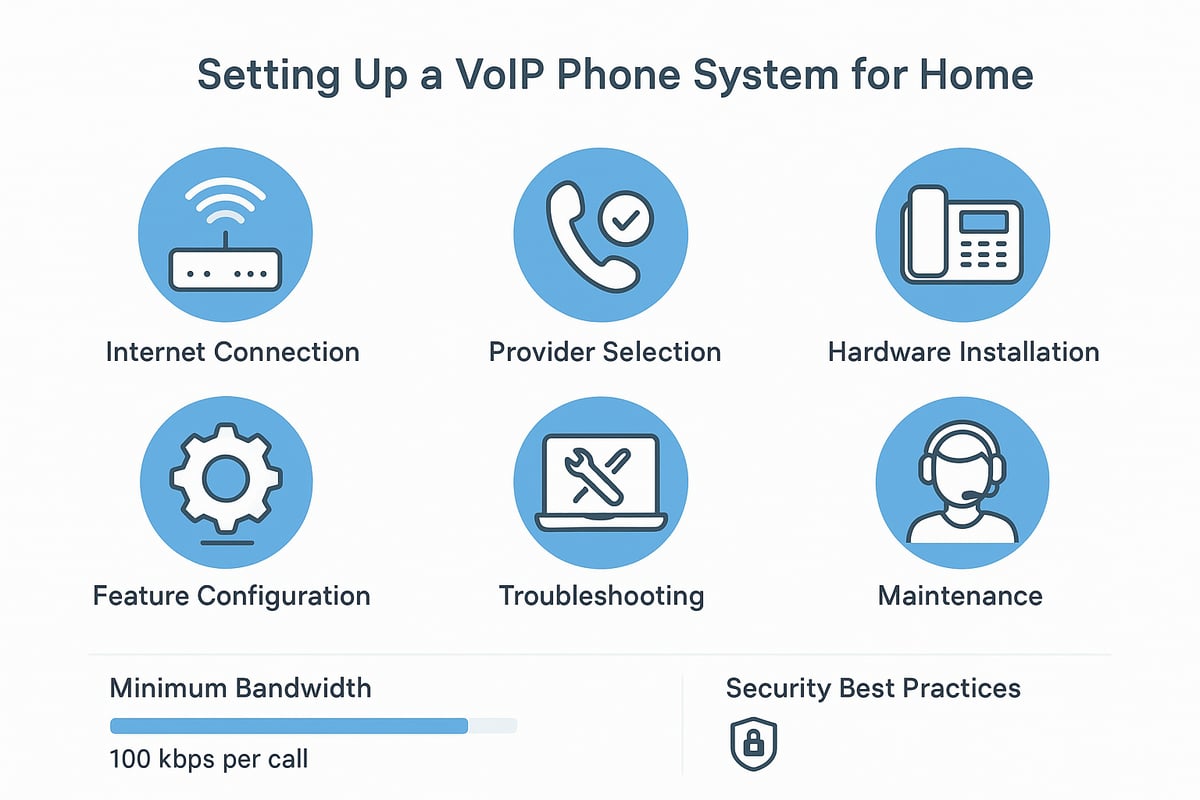
Setting up a voip phone system for home is simpler than many expect. Follow this practical guide to ensure your installation is smooth, secure, and optimized for the best communication experience.
Step 1: Assess Your Internet Connection
A reliable internet connection is the backbone of any voip phone system for home. Start by checking your current speed, stability, and overall network health.
Recommended minimum bandwidth per call:
| Number of Simultaneous Calls | Minimum Download/Upload (kbps) |
|---|---|
| 1 | 100 |
| 2 | 200 |
| 5 | 500 |
Test your connection using services like speedtest.net. Look for low jitter, minimal latency, and no packet loss. If you notice issues, upgrade your router or modem. Optimize your Wi-Fi by reducing interference and placing your router centrally. Secure your network with a strong password to prevent unauthorized access.
Step 2: Choose Your VoIP Provider and Plan
Selecting the right provider is crucial for a dependable voip phone system for home. Evaluate providers based on features, pricing, customer support, and contract flexibility.
Look for plans that offer the features you need, such as international calling, mobile app integration, and voicemail-to-email. Read user reviews and check if providers offer free trials or money-back guarantees. Carefully review cancellation and number porting policies to avoid hidden fees. Choose a provider with transparent pricing and no long-term lock-ins for peace of mind.
Step 3: Select and Install Hardware
The hardware you choose will shape your voip phone system for home experience. Decide between VoIP desk phones, adapters for analog phones, or softphones for computers and smartphones.
Plug-and-play options are ideal for households seeking simplicity. If you want to keep costs low, explore Cheap VoIP phone choices for reliable yet affordable devices. Connect your hardware to the router and follow the provider’s setup wizard. For Wi-Fi setups, ensure devices are within strong signal range. Keep your installation area tidy and accessible for future troubleshooting.
Step 4: Configure Features and Preferences
Personalize your voip phone system for home by setting up key features. Start with voicemail, call forwarding, and caller ID. Enable advanced options like Do Not Disturb, call screening, and mobile app integration for flexibility.
Link your VoIP account to smart home devices if supported, allowing voice-activated calling. Customize notifications to stay informed about missed calls and messages. Walk through your provider’s setup guide to ensure every preference matches your needs. Test each feature to confirm it works as intended.
Step 5: Test and Troubleshoot
After setup, thoroughly test your voip phone system for home. Make internal and external calls to check clarity, connection stability, and feature performance.
If you encounter issues such as echo or dropped calls, consult your provider’s online resources. Adjust QoS (Quality of Service) settings on your router to prioritize VoIP traffic. Keep a troubleshooting checklist handy:
- Restart devices if problems arise
- Check cables and connections regularly
- Monitor call quality during peak internet usage
Use helpdesk or live chat support when needed for quick solutions.
Step 6: Maintain and Secure Your System
Ongoing maintenance ensures your voip phone system for home remains reliable and secure. Update firmware and software regularly to patch vulnerabilities.
Change account passwords periodically and enable security features like two-factor authentication. Review your call logs to spot any unauthorized activity. Back up configuration settings to restore quickly if needed. Schedule monthly system checkups to keep everything running smoothly and address any potential issues proactively.
Trends and Innovations in Home VoIP for 2025
As the digital landscape evolves, the voip phone system for home is undergoing a remarkable transformation. New trends are reshaping how families connect, making home communication smarter, more secure, and future-ready.
AI and Smart Features
Artificial intelligence is revolutionizing the voip phone system for home. AI-driven call screening helps block spam and prioritize important calls. Modern systems now offer predictive dialing and advanced voice recognition, learning from your habits to streamline calling routines. Voice assistants integrated into VoIP can manage contacts, schedule calls, and transcribe voicemails in real time. For example, AI-powered voicemail transcription lets you read messages instantly, boosting productivity and convenience. As AI continues to advance, expect even smarter automation and more personalized experiences for every household using a voip phone system for home.
Integration with Smart Home Ecosystems
The voip phone system for home in 2025 is more connected than ever. Seamless integration with smart home platforms such as Alexa, Google Home, and Apple HomeKit is now common. You can initiate hands-free calls using voice commands or set up automated routines, like activating Do Not Disturb during family movie nights. Intercom features turn your VoIP phones into in-home communicators, while smart speakers allow for quick, natural calling. This deep integration ensures your voip phone system for home becomes a central part of your connected lifestyle, offering both convenience and control.
Enhanced Security and Privacy
Security is a top concern for any voip phone system for home. Providers are introducing end-to-end encryption, secure SIP protocols, and biometric authentication to protect your conversations. Advanced privacy dashboards let you monitor call data and manage permissions. Zero-knowledge encryption means only you can access your call information. For more details on the latest security features and compliance standards, explore VoIP security and compliance. With these innovations, families can trust their communications are private and secure, addressing key concerns in today’s digital world.
5G and Network Advancements
The rollout of 5G is dramatically improving the voip phone system for home. Enhanced bandwidth and lower latency mean clearer calls and faster connections, even during peak hours. Households benefit from seamless switching between home Wi-Fi and 5G networks, ensuring reliable service for remote workers and on-the-go family members. These advancements also enable more robust video calling and support for multiple devices. As 5G coverage expands, the voip phone system for home will deliver a smoother, more consistent experience for every user.
Environmental Impact and Sustainability
Sustainability is influencing the design of the modern voip phone system for home. Manufacturers are creating energy-efficient hardware, while many providers now offer software-based phones to reduce electronic waste. Some VoIP phones feature solar charging options, helping households lower their carbon footprint. Providers are also launching green initiatives to offset their environmental impact. Choosing a sustainable voip phone system for home means enjoying advanced technology while supporting eco-friendly practices, making it a responsible choice for the future.
Future-Proofing Your Home VoIP System
A future-ready voip phone system for home is designed to evolve with your needs. Modular hardware and software allow for easy upgrades as new features and codecs emerge. Providers are prioritizing backward compatibility, so you can add devices or capabilities without replacing your entire system. Scalability ensures your setup grows with your household, whether you add remote workers or new smart devices. By choosing a flexible voip phone system for home, you safeguard your investment and stay ahead of technological changes.
Frequently Asked Questions About Home VoIP Systems
Curious about making the switch to a voip phone system for home? Here, we answer the most common questions homeowners have before upgrading their communication setup. Each answer is designed to help you make informed decisions and ensure a smooth transition.
Can I keep my existing phone number?
Yes, you can usually keep your current number when moving to a voip phone system for home. This process is called number porting. Your new VoIP provider will guide you through the required steps, which often involve submitting a recent bill and completing a porting form.
Most providers handle the transition seamlessly, but it may take a few days to complete. There may be a small fee, depending on the provider and region. Always confirm with your chosen service about porting timelines and support. For example, porting a number from AT&T to a VoIP provider is a common request and is typically well-supported.
What happens during a power or internet outage?
A voip phone system for home relies on your internet and power. If either goes down, your VoIP service may be disrupted. To stay connected, consider using a battery backup (UPS) for your modem and router. Some systems also allow call forwarding to your mobile device, providing an emergency fallback.
For added resilience, many homeowners install mobile VoIP apps on their smartphones. This way, if your home network fails, you can continue making calls using cellular data. Always check provider options for failover features and test your setup regularly.
Is VoIP call quality as good as landlines?
Modern voip phone system for home setups often deliver call quality equal to or better than traditional landlines, thanks to HD voice and improved codecs. Factors like internet bandwidth, router quality, and network congestion can affect performance.
According to recent VoIP market growth projections, over 90% of users report satisfaction with VoIP call clarity. To ensure the best experience, use a wired connection for your VoIP device and prioritize voice traffic on your network using QoS settings. User testimonials frequently highlight the crispness and reliability of VoIP calls.
Are VoIP calls secure and private?
Security is a top priority for any voip phone system for home. Leading providers use end-to-end encryption and secure SIP protocols to protect your conversations. Always choose a provider with strong privacy policies and enable available security features, such as two-factor authentication.
Avoid using your VoIP service over unsecured public Wi-Fi networks. Regularly update your devices and monitor call logs for unusual activity. Providers offering encrypted calls give you peace of mind when discussing sensitive information at home.
Can I use VoIP for emergency calls (911)?
You can use your voip phone system for home to call emergency services, but there are differences compared to traditional landlines. Most VoIP providers support E911, which routes your call and address information to local responders.
You must register your home address with your provider to ensure emergency calls are directed correctly. Be aware that if your internet or power is out, E911 may not function. Always have a backup plan, such as a charged mobile phone, for emergencies.
What equipment do I need for home VoIP?
Setting up a voip phone system for home is straightforward. At a minimum, you need a reliable internet connection, a VoIP-compatible phone or adapter (ATA), and a router. Some households use dedicated VoIP phones, while others connect existing cordless phones through an adapter.
Optional equipment includes headsets for hands-free calls and UPS units for power backup. Many providers offer plug-and-play hardware, making installation simple. For those seeking cost efficiency, using software-based phones on a PC or smartphone can further lower expenses, as highlighted in VoIP cost savings for startups.
As you’ve seen, switching to a VoIP phone system for your home in 2025 brings you clearer calls, advanced features, and serious savings - all while keeping your communication secure and flexible. Whether you’re interested in international calling, integrating with smart home devices, or future proofing your setup, you’re making a smart move by exploring what’s possible. Ready to experience reliable, enterprise grade service with global reach for yourself?
Start now!
and take the next step toward a better, more connected home.
Ready to receive a verification code on a real mobile number?
Browse services