Disposable Phone Number for Google Verification Guide
Learn how to use a disposable phone number for Google verification in 2026. Protect your privacy, avoid spam, and verify accounts safely.
Iacopo Bonandi, Founder & CEO
July 4, 2026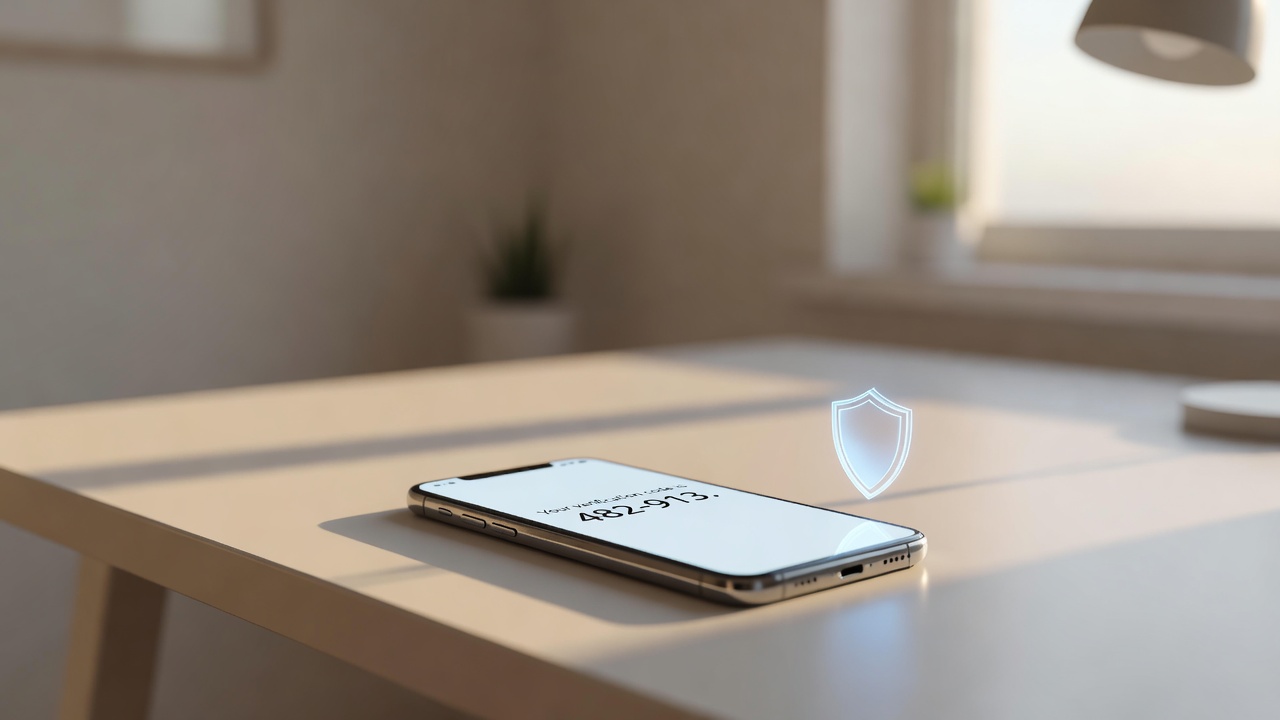
Why You Need a Disposable Phone Number for Google Verification
Using a disposable phone number for Google verification has become one of the most practical ways to protect your personal information when creating or recovering Google accounts. Whether you're setting up a new Gmail address, unlocking a locked account, or simply keeping your real mobile number away from Google's data ecosystem, a temporary virtual number gives you full control over your privacy without sacrificing convenience.
Google requires a phone number for account verification for legitimate security reasons — it links your identity and helps prevent automated abuse. But that doesn't mean you have to hand over your personal number. In 2026, millions of users worldwide rely on disposable and virtual phone numbers to complete Google's SMS verification steps safely and anonymously.
How Google's SMS Verification Works
When you create a Google account or trigger a security check, Google sends a one-time password (OTP) — typically a 6-digit code — via SMS to the phone number you provide. You enter that code to prove you control the number and complete verification.
This process, known as SMS-based two-factor authentication, is designed to confirm that a real person (not a bot) owns the account. The number itself is stored by Google and may be used for future account recovery, security alerts, or — depending on your settings — advertising purposes.
This is exactly why many users prefer not to use their personal SIM. A disposable number receives the OTP, you enter it once, and the number's job is done.
What Is a Disposable Phone Number?
A disposable phone number is a virtual number provisioned over the internet (VoIP or cloud telephony) that can receive SMS messages without being tied to a physical SIM card or your real identity. Unlike your personal mobile number, a disposable number:
- Is not registered in your name at the network level
- Can be discarded after use with no ongoing obligation
- Doesn't expose your home country or carrier to the recipient
- Prevents your real number from being stored in third-party databases
For a deeper look at how these numbers work across different verification scenarios, the guide on disposable phone numbers for verification and staying private covers the full mechanics in detail.
Types of Disposable Numbers That Work for Google Verification
Temporary Virtual Numbers (Single-Use)
These are numbers rented for a short period — sometimes as little as a few minutes — specifically to receive one SMS. They're the most privacy-preserving option because there's minimal account history attached. Once you've received your Google OTP, the number can be released.
Longer-Term Virtual Numbers
If you manage multiple Google accounts or run a small business, a virtual number you hold for weeks or months may be more appropriate. These numbers can receive repeated SMS messages and act as a stable second line. Learn how these compare in this detailed breakdown of virtual phone numbers for SMS verification.
Second Phone Number Apps
Some users prefer app-based solutions that assign a real virtual number to your device. These work well for ongoing Google account management. Explore the best options in our guide to free second phone number apps for verification codes.
Step-by-Step: Using a Disposable Number for Google Account Verification
Step 1 — Choose a reputable provider Select a virtual number service that offers numbers in your target country (Google may block numbers from regions it doesn't recognize as valid). Look for providers that clearly state their numbers support SMS reception.
Step 2 — Select a number and activate it Choose a number — typically from the US, UK, or another major country — and activate your SMS reception on the provider's dashboard or app.
Step 3 — Enter the number in Google's verification field During Google account creation or account recovery, select the country matching your virtual number, then enter the number without any leading zeros or country codes (Google's UI handles formatting).
Step 4 — Request the OTP Click "Send" or "Get Code" in Google's interface. The SMS should arrive in your provider's inbox within seconds.
Step 5 — Copy and enter the code Paste the 6-digit OTP into Google's verification field and complete the process. Your Google account is now verified.
Step 6 — Discard or retain the number If you only needed the number for this one verification, release it. If you'll need ongoing access (for account recovery), consider keeping the number active.
For a more comprehensive walkthrough of this process across different platforms, see the virtual phone number for SMS verification complete guide.
Key Considerations Before You Start
Number Quality Matters
Google actively blocks numbers from certain VoIP ranges that have been flagged for abuse. Always use a provider that regularly rotates and maintains number quality. Numbers from well-maintained pools have a much higher success rate.
Country Selection
Google's verification system is region-aware. If you're creating an account in a specific region, choose a number from a country Google commonly accepts — typically the US, UK, Canada, or Western European nations.
Don't Use Free "Shared" Public Numbers
Many websites publish free public numbers where anyone can see incoming SMS messages. These are not private and are frequently burned by bots. Google almost always rejects them instantly. Use a private, dedicated number instead.
Account Policies
Google's Terms of Service prohibit creating accounts for deceptive purposes. Using a virtual number for legitimate privacy protection when managing your own accounts is a widely accepted practice; using it to mass-create fake accounts violates platform rules.
If you're also considering Google Voice as an alternative solution, it's worth knowing that Google Voice numbers themselves are sometimes blocked by Google for account creation verification. For alternatives, see our comparison of virtual phone number Google Voice alternatives.
Privacy Benefits Beyond Verification
The privacy advantages of a disposable phone number extend well past the moment you verify your Google account. Once your real number is in Google's system, it can be used for personalized advertising, account linking across services, and in some cases, third-party sharing. A virtual number breaks that data chain at the source.
For users who value comprehensive digital privacy — not just one-time anonymity — the approach described in this smart privacy guide for temporary phone numbers offers a holistic framework for protecting your identity across all SMS-based verification scenarios.
FAQ
Can Google detect and block disposable phone numbers?
Yes, Google uses heuristics to identify and block numbers from certain VoIP pools, particularly those associated with spam or abuse. However, high-quality virtual number providers regularly refresh their number inventory, and numbers from reputable providers that are kept clean have a strong pass rate. The key is avoiding free, publicly shared numbers, which are almost always flagged.
How is a disposable phone number different from Google Voice for verification?
Google Voice is itself a Google product, and Google explicitly prevents most Google Voice numbers from being used to verify new Google accounts — it creates a circular dependency. A disposable number from an independent VoIP or virtual number provider is external to Google's ecosystem, making it far more effective for initial account verification.
Is it legal to use a disposable phone number for Google verification?
In the vast majority of jurisdictions, using a virtual or disposable phone number for your own account verification is entirely legal. Virtual phone numbers are a legitimate telecommunications product regulated under standard telecom frameworks in most countries. The ethical and legal concern arises only if numbers are used to create fraudulent accounts or violate a platform's terms of service — not for routine privacy protection on your own legitimate accounts.
Get Started with a Reliable Virtual Number Today
Your privacy is worth protecting from the very first step of account creation. Whether you need a single-use number for a one-time Google verification or a long-term virtual line for managing multiple accounts securely, the right solution is just a few clicks away. Visit VoIPStore.xyz to browse available virtual and disposable phone numbers, find a number that fits your region and use case, and complete your Google verification privately and confidently.
Ready to receive a verification code on a real mobile number?
Browse services